Chromecast with Google TV (HD) - Streaming Stick Entertainment on Your TV with Voice Search - Watch Movies, Shows, and Live TV in 1080p HD - Snow
Chromecast with Google TV (HD) - Streaming Stick Entertainment on Your TV with Voice Search - Watch Movies, Shows, and Live TV in 1080p HD - Snow
Couldn't load pickup availability
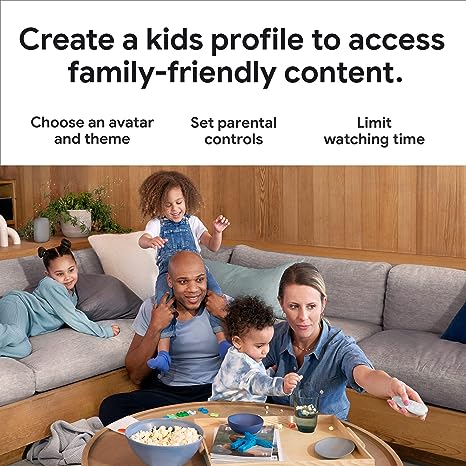
Choosing what to watch often means opening one app after another, each with its own separate library and its own separate search. The Chromecast with Google TV (HD) in Snow gathers those services into a single home screen, with suggestions drawn from the subscriptions you already hold, your viewing history, and titles you own. Live TV and more than 700,000 movies and episodes sit alongside millions of songs, played back in up to 1080p HDR. The remote carries a Google Assistant button, so a title, genre, actor, or mood can be spoken rather than typed, and the same button handles volume, inputs, and connected home devices such as lights, thermostats, and doorbells. Personalised profiles hold watchlists, and a kids profile adds an avatar, a theme, service restrictions, screen time limits, and a bedtime.
Setup requires an HDMI port, Wi-Fi, a Google Account, a mains outlet, and a compatible mobile device. Power draw is 5V, 1.5A.
When comparing streaming sticks of this kind, the practical differences come down to remote design, profile depth, and how well the interface surfaces content across multiple services without requiring a subscription to a separate aggregator. The physical remote here doubles as a universal controller, which means fewer devices on the coffee table. The compact dongle form factor matters for televisions mounted flush to a wall or with limited clearance around the HDMI port, and the included short cable can offset the device slightly to ease the fit. For anyone replacing a smart TV's built-in software, the advantage is portability: the Chromecast travels between rooms or to a hotel television with no reconfiguration beyond signing into the same Google Account.
This model suits households that already use Google services and want a consistent experience across shared and individual viewers, including younger ones who need a contained environment. Those who primarily watch one service with its own dedicated stick may find the unified home screen less essential, but for multi-service households it removes the habit of switching inputs. Storing the device when not in use requires no special conditions, though keeping it away from enclosed, poorly ventilated spaces behind a receiver or inside a cabinet reduces the chance of heat build-up during long viewing sessions.
Share